Download PhoenixCodeLens
The assessment tool that maps your legacy system, extracts its business rules with AI, and tells you what it would take to modernize — before you migrate a single line.
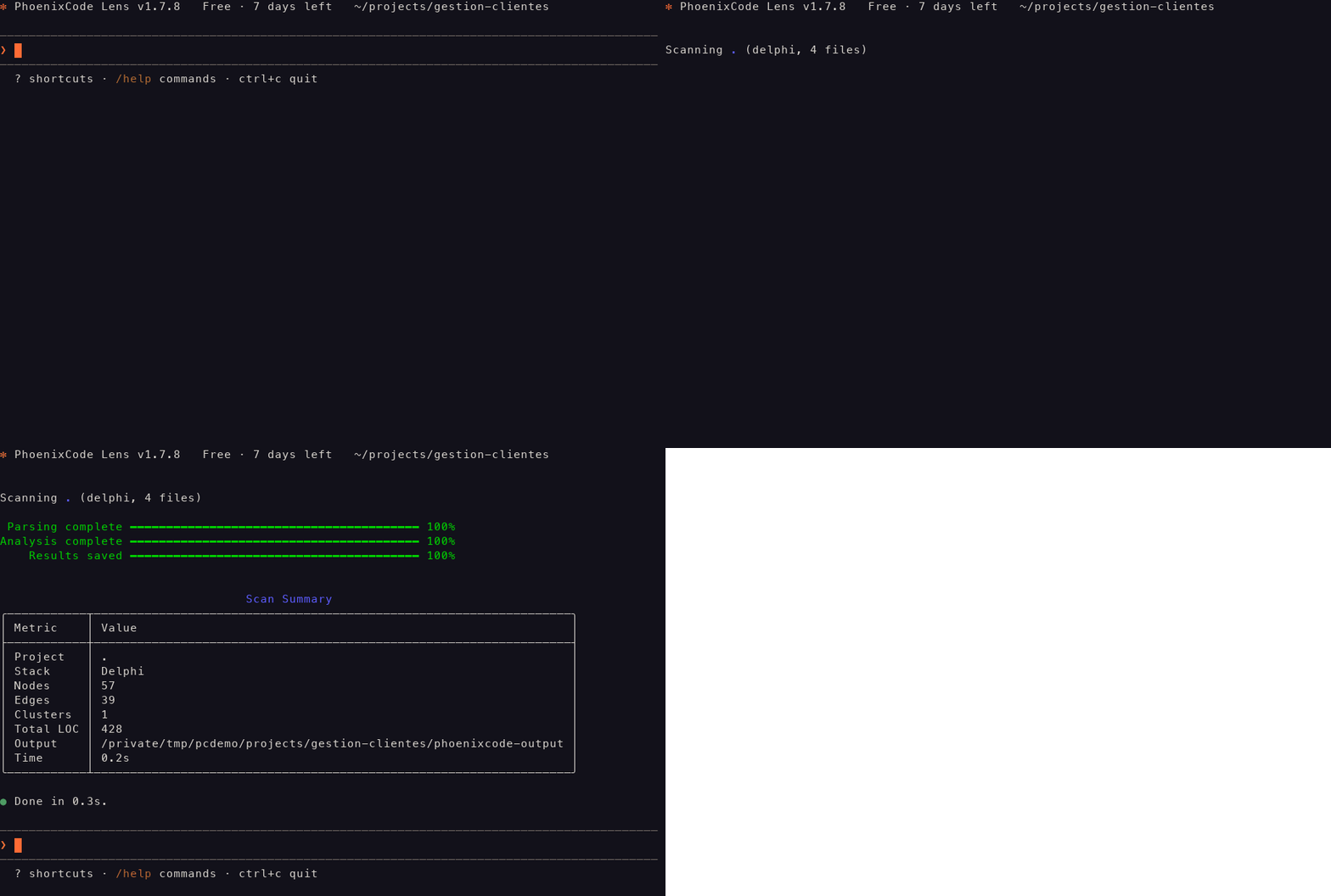
Real recording of the interactive session — a Delphi project scanned from prompt to summary.
macOS: clear the quarantine flag after downloading
Our binaries aren't notarized by Apple yet, so macOS quarantines anything downloaded from a browser and stops it from running. Clear the flag once, right after unzipping:
Nothing to do on Windows or Linux.
Each release ships with SHA-256 checksums (SHA256SUMS.txt).Release notes ·All versions
Up and running in three steps
From download to your first migration report in a couple of minutes.
Unzip & add to PATH
Extract the archive and place the binary on your PATH. It's fully self-contained — no .NET runtime to install. On macOS, clear the download quarantine flag first (see the note below) or macOS will block it.
Activate your license (optional)
The free tier works with no key, up to 10 files. Paste a key to unlock more.
Run your first analysis
Scan a codebase, extract business rules with AI, and generate an interactive HTML report.
It's the same robot
The one on this site and the one in your terminal aren't two mascots — they're one character at whatever resolution each place allows. Watch the vector rasterize into its 12×12 pixel form, then see what the CLI draws, where the smallest unit isn't a pixel at all: it's a character cell, twice as tall as it is wide.
The same sprite, drawn the way a terminal has to draw it: with half-blocks, two pixel rows per character cell. Twelve pixel rows make six terminal rows — the whole character, chest mark and feet included, once per install.
What you get
- Dependency graph (interactive HTML dashboard)
- AI-extracted business rules in plain language
- Migration effort estimate, per component
- Color-coded risk matrix & phased roadmap
- Exports to HTML, CSV, JSON & DOCX
System requirements
- Self-contained binary — no .NET install required
- Node.js 22+ only for Angular / TypeScript analysis
- ~150 MB disk · 4 GB RAM recommended
- Windows 10/11, macOS 13+, or modern Linux (glibc 2.23+)
Start free, scale when you're ready
The download is the same on every plan — your license key unlocks how much you can analyze.